Customers
Find anyone fast, see who is running low, and keep every customer’s packages and history in one place.
Step by step
-
1
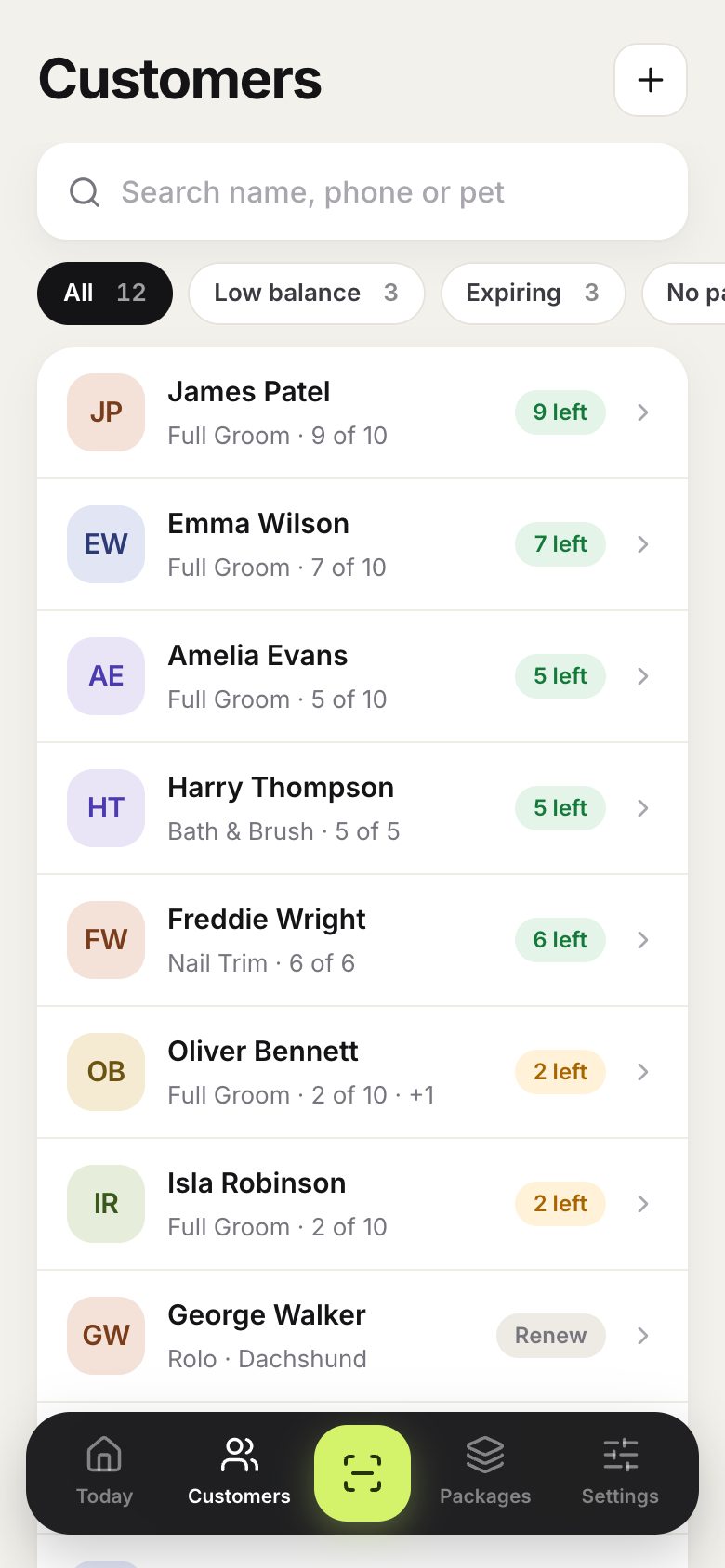
Customers lists everyone, with how many sessions each person has left.
-
2
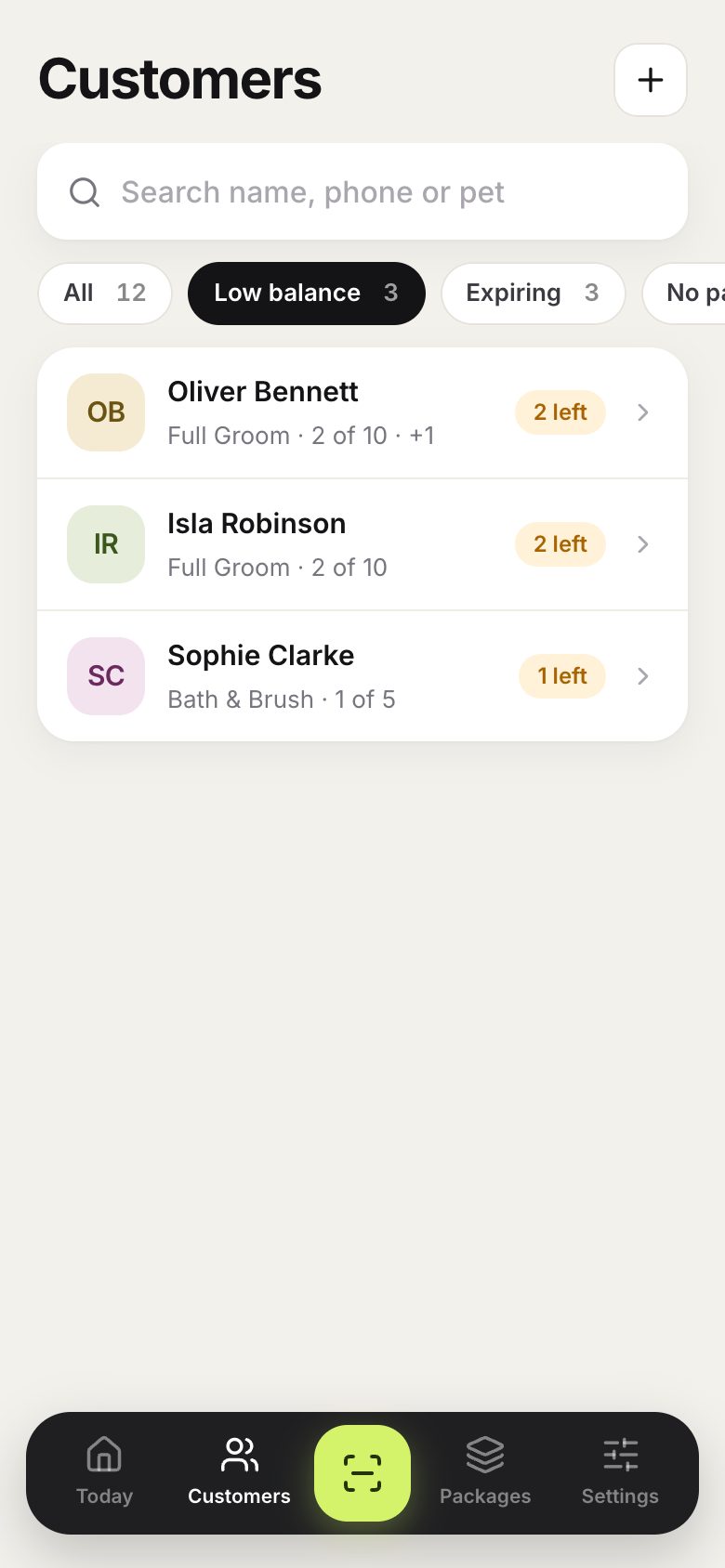
Filter by low balance or expiring to see who needs a nudge.
-
3
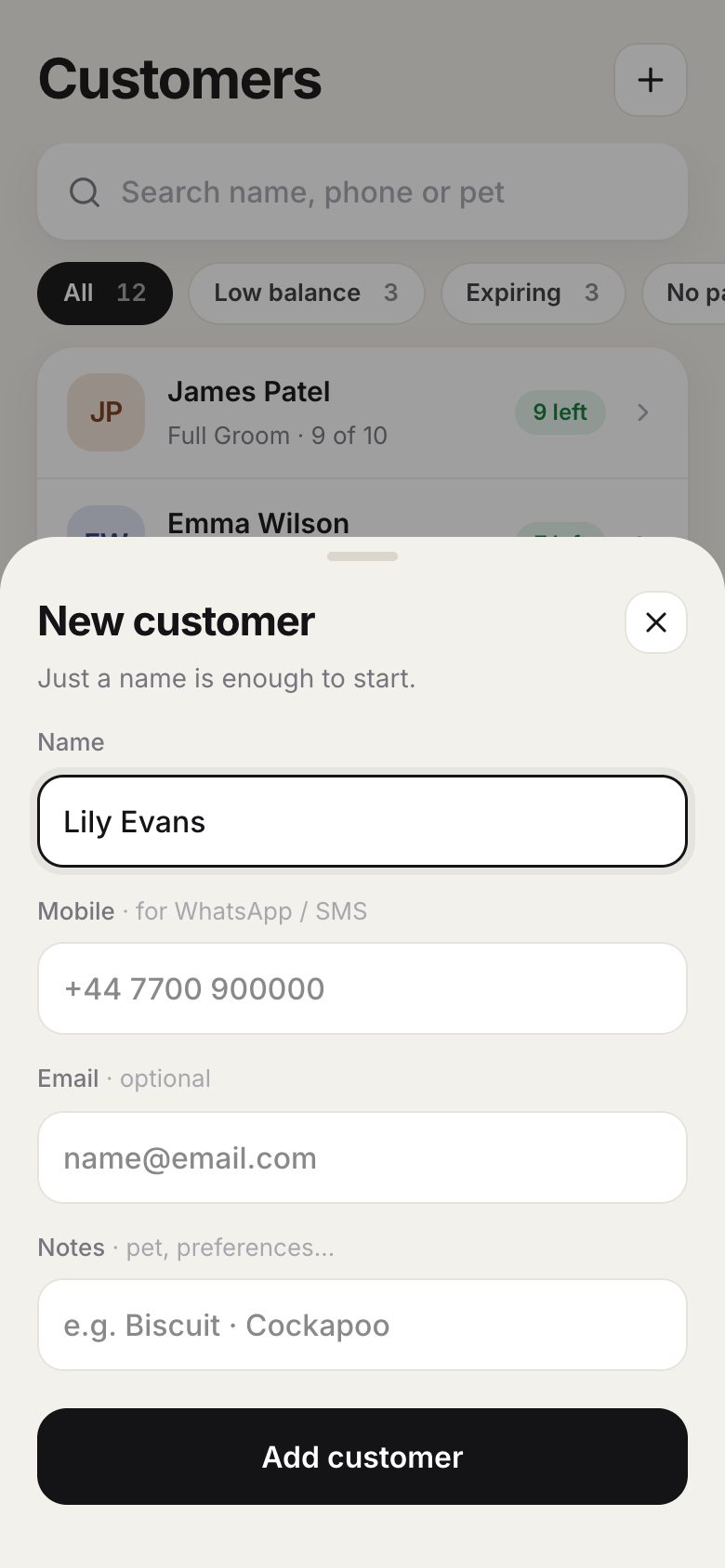
Add a customer with the plus button. A name is enough; add a phone number for WhatsApp, and notes such as the pet’s name.
-
4
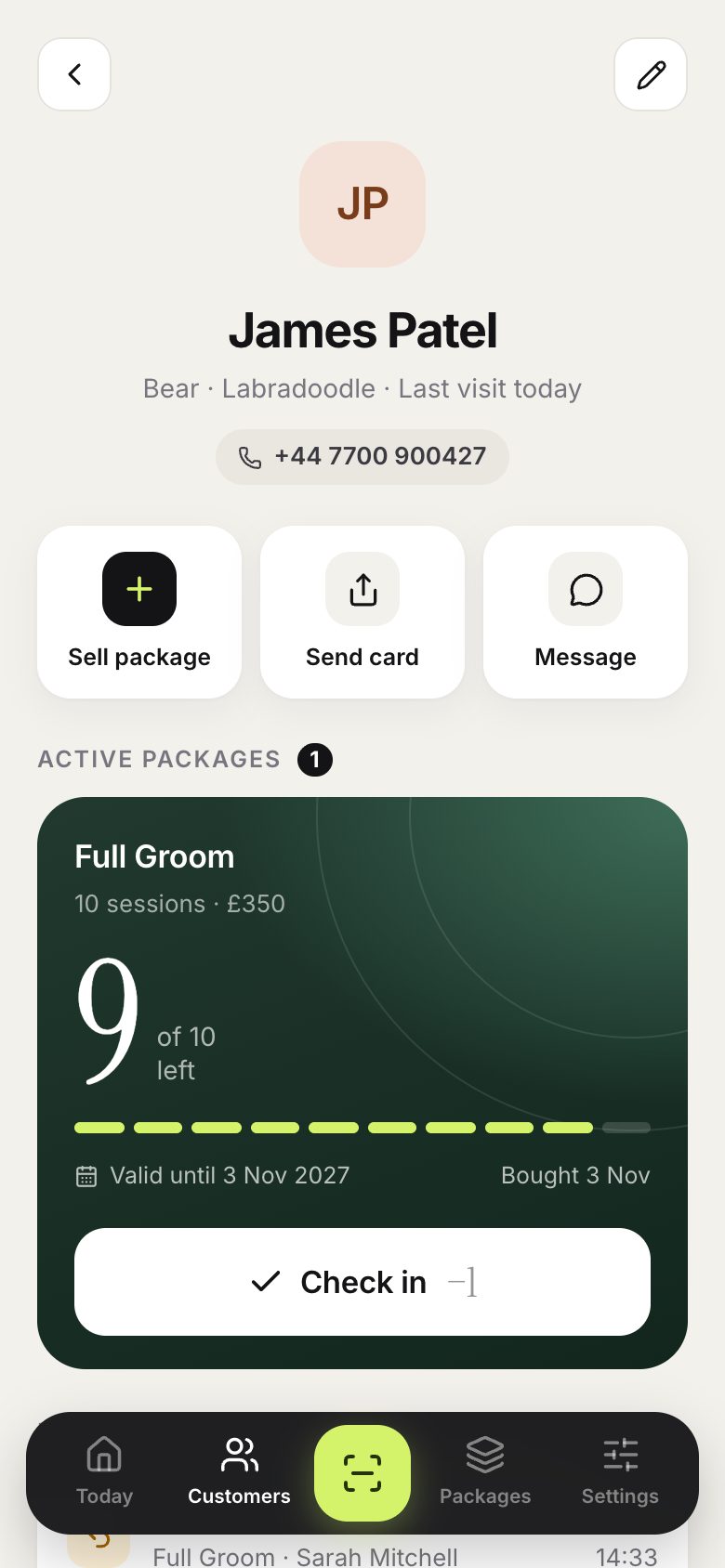
Open a customer to see their active packages and full history. You can check in right from their card.
Good to know
- Tap the pencil on a customer’s page to edit their details.
- The Free plan includes up to 20 customers. Pro has no limit.